- Works with any 4×6 thermal printer
- One order or a bulk selection
- Included on every plan
Three labels from the same order.
Pick a starting point in the label designer, then switch parts on or off. The preview is the label that prints.
Switch on what you need
- Logo
- Return address
- Order number
- Barcode of the order number
- Item list
- Gift or order note
- Your own text
- Font size
Portland, OR 97214
Print one, or everything you packed today.
Orders arrive in Folio from your store as they are placed, so the label is ready when you are.
- 01
Open Orders. New orders from Shopify, WooCommerce, Wix and BigCommerce are already there.
- 02
Choose Print label on one order, or tick several and print them together.
- 03
Folio makes a 4×6 PDF with one label per page, or opens a print view sized for 4×6.
- 04
Print to your thermal printer from your computer's print dialog, then stick and pack.
Use the printer you already have.
What you need
A 4×6 thermal label printer installed as a printer on your computer: over USB, or over Bluetooth where your operating system supports it. Nothing to install from Folio.
What Folio prints
Address labels and packing slips. The shipping address comes from the order, falling back to the billing address, and your business address is the return address.
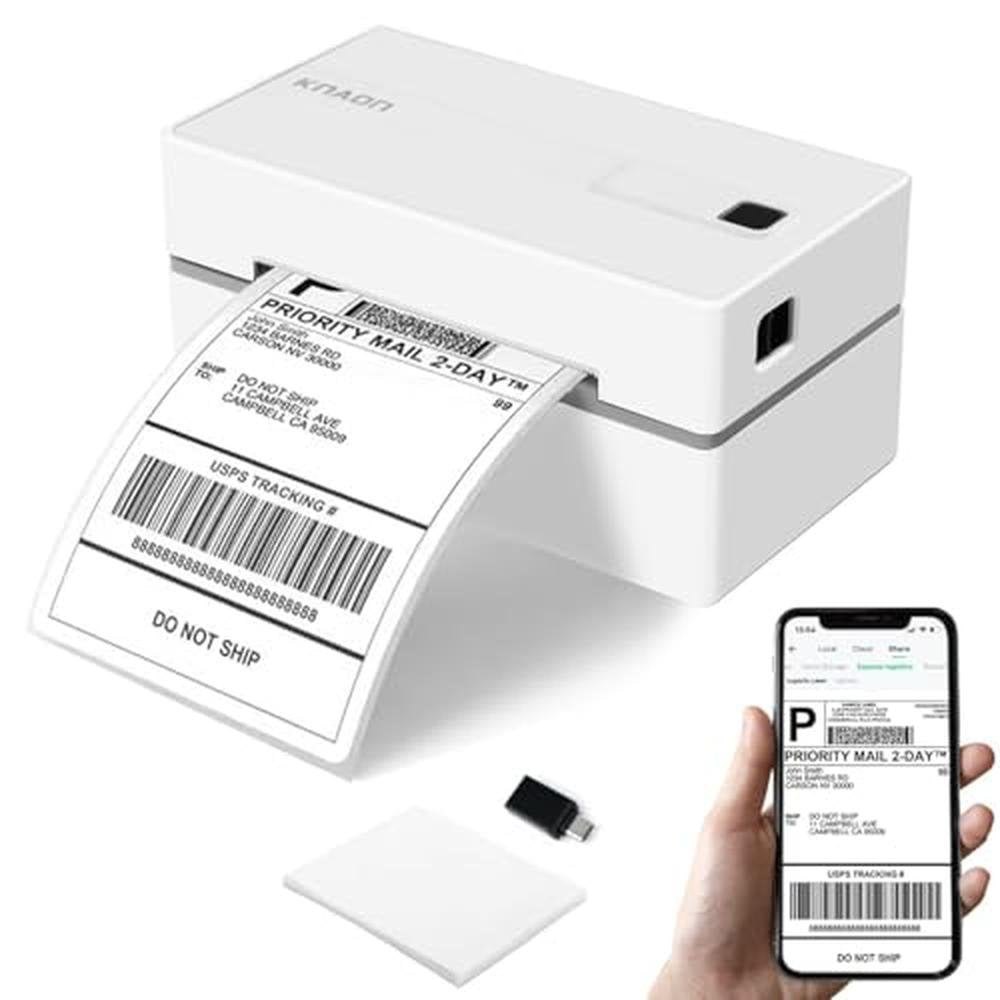
Need a printer? Add one at checkout.
KNAON Bluetooth 4×6 Thermal Shipping Label Printer
Prints the 4×6 in address labels and packing slips you design in Folio, over Bluetooth from your phone or by USB from your computer. Shipping is calculated at checkout.
$69.99+ shippingOne-time purchase, added to your order at checkout. Shipping from $4.99.
Add it at checkout and get 10% off your first plan payment.
Specifications
- Print method
- Direct thermal — no ink or toner
- Labels
- 4×6 in shipping labels; label width 1.5–4.2 in
- Bluetooth
- Bluetooth for iPhone, Android, tablets and Windows
- USB
- USB for Windows, Mac, ChromeOS and Linux
- App
- FlashLabel Pro app for phones (KNAON: 3,000+ templates, 5,000+ icons, 100+ fonts)
For anyone who packs their own orders.
And for sellers who never touch a box: the invoice still goes out by itself.
Home-based businesses
You pack at the kitchen table after the day job. Folio has already invoiced tonight's orders, so you print the labels and packing slips in one go and tape up the boxes.
Small online stores
One store, a few orders a day, and nobody whose job is paperwork. Each paid order gets a numbered invoice with your logo, emailed to the customer without you opening anything.
Dropshipping businesses
A supplier ships the parcel; you still owe the customer a proper invoice. Folio issues it when the order is paid and a credit note when you refund, with no stock or packing on your side.
Label questions.
What can I print with Folio?
Address labels, address labels with a packing list, and packing slips, all on 4×6 inch labels. Each one is filled from the order: shipping address, your return address, order number, a barcode of the order number, and the items with SKU and quantity.
Does Folio buy postage or create carrier labels?
No. Folio prints address and packing labels. It does not sell postage, create carrier shipping labels or quote shipping rates. If you buy postage from a carrier or your store platform, keep doing that there.
Which printers does it work with?
Any 4×6 thermal label printer that is installed as a printer on your computer, over USB, or over Bluetooth where your operating system supports it. Folio produces a 4×6 PDF and a print view sized for 4×6; you print it the way you print anything else.
Do I have to buy a printer from Folio?
No. If you already own a 4×6 thermal printer, use it. When Folio has a printer available it is offered as an optional one-time purchase at checkout, with shipping calculated for your address, and you can subscribe with or without it.
Can I print labels for many orders at once?
Yes. Select orders in the Orders list and print them together. Folio makes one PDF with one label per page, in the order you selected.
Which address goes on the label?
The order's shipping address. If an order has no shipping address, Folio uses the billing address. Your business address is the return address.
Can I change what the label shows?
Yes. In the label designer you turn on or off your logo, the return address, the order number, the barcode, the item list, the order note and a line of your own text, and set the font size. The preview updates as you change it.
Is label printing on every plan?
Yes. Label printing is included on Starter, Growth and Scale, on all four platforms. See pricing.
Print your first label today.
Connect a store and your orders are ready to print. 14-day free trial, no card required.